Biometrics is the use of unique physical characteristics, such as a fingerprint, to establish a person's identity. In this article, I discuss the differences, advantages and disadvantages of biometric authentication over traditional password authentication. I also discuss the practical advantages and disadvantages of different forms of biometrics, I discuss the reliability of biometrics and I explain its privacy aspects with actual cases from the press.
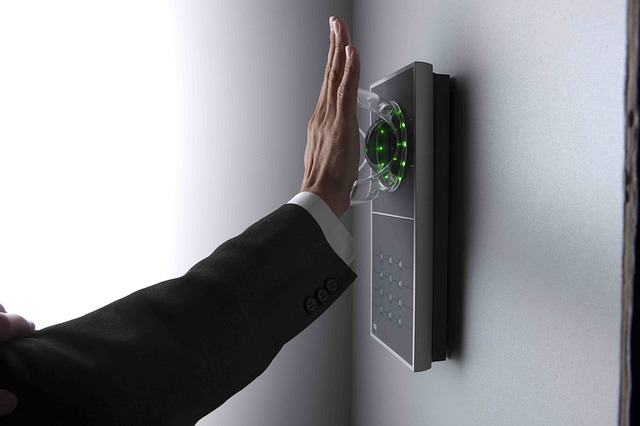
Biometrics is the use of unique physical characteristics, such as a fingerprint, to establish a person's identity. In this article, I discuss the use of biometrics for access security. I call it authentication: establishing who someone is who logs into an information system or wants access to a building or space. The following forms are used for this purpose:
fingerprint
facial recognition
iris or retinal scan
voice recognition
In the following paragraphs, I mainly mention fingerprint and facial recognition, but most of it applies to the other forms of biometrics as well.
A password is often used for logging into information systems. In practice, many people fail to choose a password that is difficult to guess, and malicious people can attempt to guess a password anywhere in the world. So it is not surprising that this occasionally succeeds and unauthorized people gain access to information systems. In addition, malicious persons sometimes deploy clever tricks to retrieve passwords. This happens, for example, with phishing emails that are very specifically targeted to a particular person. An example is the break-in of the Democratic Party campaign manager's mailbox in the United States.(1)
Passwords do not always remain secret, and when securing information systems by password, knowing the password is enough to gain access. One solution to this problem is to add a second security at login, also known as the "second factor. The first factor then is the password, something you know. The second factor can be something you have, such as a card or a device such as a smartphone. The second factor can also be a biometric identifier. The latter is quite often perceived as more user-friendly.
A pass is often used to access buildings. Here a problem is that the pass may be lost or someone may lend their pass to someone else. This can enable unauthorized access or fraud, for example, if two people use the same pass to go to the gym. Neither of these problems occur with biometric authentication. You don't lose a fingerprint or your face as easily as you lose a smartphone or a pass, and you can't share it with another person. Even identical twins have different fingerprints.
There are some fundamental differences between passwords and biometrics. Those differences also reveal some of the disadvantages and risks of biometrics.
1. Biometrics is not perfect
Verifying a password leads to an unambiguous result: it is either correct or it is not. It is not so for biometrics. A finger is never put on the scanner exactly the same way twice and your face looks slightly different every day, especially after a visit to the hairdresser, after a night out, without or with makeup, after skipping a few shaves or with new glasses. This means that biometrics always looks at whether the fingerprint or face is "sufficiently" similar to the stored information. This involves looking for a balance between:
false positives: the biometrics recognize someone even though another person has had their fingerprint or face scanned.
false negatives: the biometrics do not recognize someone when they should have access.
When setting up the software behind the scanner, you can choose:
a more tolerant attitude: more false positives and fewer false negatives (less safe, but also less frustration for legitimate users);
a stricter setting: fewer false positives and more false negatives (safer, but also more frustration for legitimate users).
2. Quality Differences
Verifying a password is easy, but verifying a fingerprint or a face is much more complex. A good scanner and good software to analyze it and compare it with stored data is expensive. That's why we see big differences in quality in both scanners and the underlying software. This may be due, for example, to the number of cameras or the number of recognition points stored. Some facial recognition software allows itself to be fooled by a photo. By the way, a high price does not seem to be a guarantee of quality, according to a study by the Consumers' Association.(2) It seems that fingerprint technology is a bit more mature than facial recognition technology, but even there things sometimes go wrong.(3)
3. You can change a password, you cannot change your fingerprint
If there is a suspicion that your password has been leaked, you can change it and choose a new password. When your biometric data is leaked, someone can misuse it without you being able to change it. Unfortunately, biometric data leaks occur from time to time.(4)(5) When these data are leaked, you can suffer for life.(6)
4. Use a different password for each application
It is good practice to use a different password for each information system or Web site. If one system is cracked, a malicious person cannot access other systems. With biometrics, this is not possible. You may have ten fingers, but only one face. So you cannot avoid using the same biometric for multiple applications.
5. You can only surrender a password knowingly
A fingerprint or facial scan can be made in your sleep, potentially unlocking your smartphone. Also, the police can force you to unlock your phone with your finger while you are not required to give up your password or PIN.(7) Because of these differences and disadvantages as well as to build in extra security, the methods are often used in combination, such as a password plus something you must have (smartphone, smart card) or a fingerprint with a PIN.
With any form of authentication, whether with a password, biometrics, a pass or a smartphone, you are vulnerable to coercion. With a gun or a knife to your chest, it is probably better to tell your password or have your finger or face scanned.
According to the General Data Protection Regulation (AVG), biometric data fall under special personal data when used for identification (AVG Art. 9 para. 1). This means that their processing is prohibited unless one of the exceptions applies (AVG Art. 9 para. 2). In practice, the grounds of 'consent' (AVG Art. 9 para. 2 under a) and 'substantial public interest' (AVG Art. 9 para. 2 under g) qualify for this.
Consent to the use of biometric data must be free, which usually means that there must be an equivalent alternative, such as a pass. The use of a fingerprint, for example, is then an additional service to the data subject for their convenience.(8)
Overriding public interests must be defined in law and the use of biometric data must be proportionate to the purpose. Based on this exception, the Dutch legislator has laid down in the UAVG (UAVG Art. 29) that the ban on processing biometric data is lifted when it is necessary for authentication or security purposes. 'Necessary' means it cannot be done any other way. This is a high hurdle, one that is more likely to be overcome in the case of nuclear facilities, storage of dangerous viruses or the vault of De Nederlandsche Bank than in other, everyday applications. This is also evident in application practice.
Fashion company Manfield wanted to require employees to use a fingerprint scan to access its cash registers. It was knocked back by the judge. This ruled that other, less invasive solutions should be investigated first. The objective of combating fraud can probably also be achieved with a card, whether or not in combination with an access code.(9)(10)
Student sports complexes introduced fingerprint scanning for access. Journalists from Nu.nl investigated this and concluded, based on the website of the Autoriteit Persoonsgegevens (AP), that this is not compliant with the AVG.(11)(12)
A recreational lake offers facial scan access as a voluntary alternative to paper card access. This is believed to comply with the AVG.(13)
So if you do consider biometrics, use the following tips:
Explore alternatives to achieve the goal.
Weigh the need against the requirements of the AVG and UAVG.
Conduct a DPIA as required by the AP's list of processing operations for which a DPIA is required.(14)
Store biometric data encrypted. The AP sees this as a prerequisite for lawful use.(15)
Do not use biometrics as the only factor, but supplemented by a pin or password.
(1) https://en.wikipedia.org/wiki/Podesta_emails(2) https://www.consumentenbond.nl/veilig-internetten/gezichtsherkenning-te-hacken https://nos.nl/artikel/2265993-gezichtsherkenning-smartphones-simpel-te-foppen-met-pasfoto.html(3) https://tweakers.net/nieuws/158730/ultrasone-scanner-galaxy-s10-accepteert-elke-vinger-met-bepaalde-screenprotector.html and https://nakedsecurity.sophos.com/2019/04/23/phone-fingerprint-scanner-fooled-by-chewing-gum-packet/(4) https://www.bnr.nl/nieuws/technologie/10386801/ruim-een-miljoen-biometrische-gegevens-liggen-op-straat( 5) https://www.demorgen.be/nieuws/datalek-met-biometrische-gegevens-van-miljoen-gebruikers-ontdekt~b5a9855ca/?referer=https%3A%2F%2Fwww.google.com%2F
(6) https://www.parool.nl/columns-opinie/liggen-je-biometrische-gegevens-op-straat-dan-ben-je-voorgoed-de-pineut~bfad289f/( 7) https://www.privacy-web.nl/artikelen/verplicht-je-smartphone-ontgrendelen( 8) https://www.privacy-web.nl/vragen/als-werknemers-uitdrukkelijke-toestemming-geven
This article can also be found in the Information Security dossier